The Short Answer
Set the document to the exact trim size booked, add 3 mm bleed on all four sides, keep text 5 mm inside the trim, work in CMYK, place images at 300 dpi on art paper or 200 dpi on newsprint, embed every font, and export a print-ready PDF/X-1a. Our A2 insert is 33 cm x 53 cm, not ISO A2.
Key Takeaways
- Trim sizes: A2 insert 33 cm x 53 cm on 45 GSM newsprint, A4 21 cm x 29.7 cm and A5 14.8 cm x 21 cm on 90 to 130 GSM glossy art paper.
- Our A2 is a trade size, not ISO A2 (42 cm x 59.4 cm). Setting up an ISO A2 document is the single most common artwork mistake we see.
- Add 3 mm bleed on all sides, keep live text 5 mm inside the trim, and stay 10 mm clear of the A2 centre fold.
- Work in CMYK, embed or outline fonts, and export PDF/X-1a (ISO 15930-1); RGB files and Word or PowerPoint artwork always cost a day.
- Images need 300 dpi at final size on art paper but only 200 dpi on newsprint, and total ink coverage should stay near 240% on newsprint, 300% on coated stock.
Most delays on an insertion campaign are not caused by printing or distribution. They are caused by artwork that arrives in the wrong size, in RGB, without bleed, or as a Word file. Our own campaign data since 2020, covering 500+ campaigns in 30+ Indian cities, points to artwork as the single most common reason an insertion date moves, and the same handful of faults account for nearly all of it: a document set to the wrong trim size, no bleed, RGB colour, and fonts that were never embedded.
This checklist covers the exact specifications we ask for, why each one exists, and the small number of mistakes that cause almost every reprint.
What size should your insert artwork be?
Set your document to the exact trim size of the format you booked, then add bleed. A4 and A5 follow the international paper-size standard ISO 216; our A2 insert does not, which is the trap explained below. These are the three formats we run, and the A2 vs A4 vs A5 guide explains which one to book in the first place.
| Format | Trim size | Paper | Notes |
|---|---|---|---|
| A2 insert | 33 cm x 53 cm | 45 GSM newsprint (SNP) | Middle fold converts it to A3 |
| A4 insert | 21 cm x 29.7 cm | 90 to 130 GSM glossy art paper | Standard ISO A4 |
| A5 insert | 14.8 cm x 21 cm | 90 to 130 GSM glossy art paper | Standard ISO A5 |
All formats are printed double-side, full multicolour. Minimum order 50,000 copies.
How much bleed and margin does a newspaper insert need?
Three numbers cover almost every job:
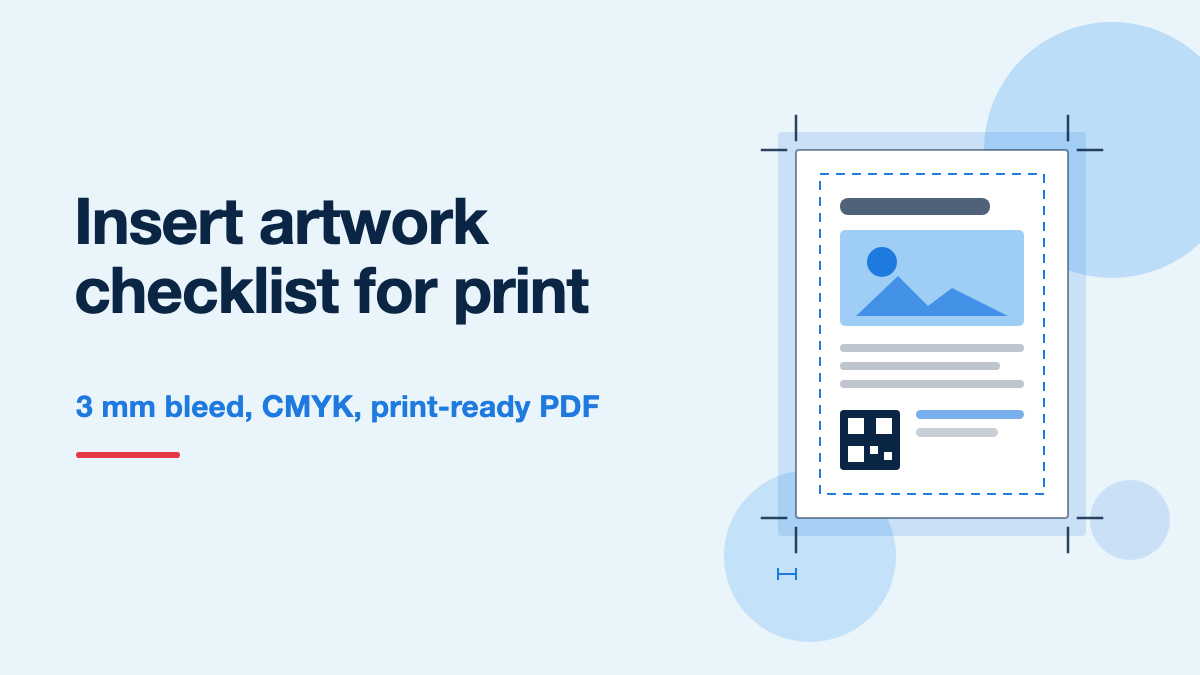
- Bleed: 3 mm on all four sides. Any background colour or image meant to reach the edge must extend 3 mm past the trim line. Guillotines cut through a stack and the stack shifts slightly, so without bleed you get a thin white sliver along one edge on part of the run.
- Safe margin: 5 mm inside the trim. Keep all text, logos, prices and phone numbers at least 5 mm in from the trim line. On high-speed work we would rather have 8 mm on the A2 format.
- Fold clearance on A2: 10 mm either side of the centre fold. The A2 sheet is folded down the middle to A3 for insertion. Nothing you need read cleanly, and no QR code, should sit on that crease.
Supply the file with crop marks and bleed marks, offset 3 mm so the marks do not print inside the trim area.
Which colour mode and which file format?
Artwork must be CMYK, never RGB. Presses print with cyan, magenta, yellow and black ink. If you send RGB, something has to convert it, and an automatic conversion is where bright blues turn dull and corporate reds shift. Convert deliberately in your own design software, look at the result, and adjust before sending.
Send a print-ready PDF, ideally PDF/X-1a. According to its source standard, ISO 15930-1, that profile is built for exactly this handoff: CMYK only, fonts embedded, transparency flattened, and no colour management surprises at the press. Nearly every Indian commercial press accepts it without question.
- PDF/X-1a with 3 mm bleed and crop marks. Best option.
- A standard press-quality PDF, CMYK, fonts embedded or outlined.
- Packaged native files (Illustrator, InDesign or CorelDRAW) with all linked images and fonts included.
What causes a delay every single time: Word and PowerPoint files, JPEGs pulled from a website, RGB PDFs exported for screen, and a design supplied only as a low-resolution preview for approval.
What image resolution do you actually need?
Resolution should be judged at final printed size, not at the pixel dimensions your camera produced.
- Glossy art paper (A4 and A5): 300 dpi at final size. Coated stock holds a fine screen, so detail survives.
- Newsprint (A2): 200 dpi at final size is genuinely enough. Newsprint prints with a much coarser screen, so a 300 dpi photograph gains you nothing visible while making the file heavier.
The practical rule: an image placed at 300 dpi and then enlarged to twice its size on the page is now a 150 dpi image. Check the effective resolution in your layout software, not the resolution of the original file. Our GSM and paper types guide explains why coated and uncoated stocks behave so differently.
What about ink coverage, blacks, and fine type?
These four rules prevent most of the disappointing results we see on newsprint.
- Total ink coverage. Keep the sum of all four inks at or below about 240% on newsprint and about 300% on coated art paper. Go higher and the ink cannot dry fast enough, so it offsets onto the next sheet and smudges.
- Blacks. Use 100% K alone for body text. For a large black panel on art paper use a rich black, a supporting layer of cyan, magenta and yellow under 100% K, because 100% K alone across a big area looks washed and grey.
- Fine and reversed type. On 45 GSM newsprint avoid text below about 8 pt, avoid hairline serifs, and be careful with white text reversed out of a four-colour background. Presses have a small amount of registration movement, and thin reversed type is the first thing to fill in and become unreadable.
- Show-through. Both sides are printed. A heavy solid on the reverse of a page of small text will ghost through 45 GSM newsprint, so do not place your most important paragraph directly behind a solid block.
How should you set up a QR code for print?
A QR code that does not scan wastes the entire tracking plan. Print it at a minimum of 2 cm x 2 cm, keep a clear quiet zone of at least four modules around it, print it in solid 100% K on white rather than reversed or over a photograph, and keep it off the fold. Then scan the printed proof with two different phones before approving. Our QR tracking guide covers what the code should actually point to.
The pre-send checklist
Run through this before the file leaves your desk:
- Document set to the exact trim size quoted, A2 at 33 cm x 53 cm, not ISO A2.
- 3 mm bleed on all four sides, with crop marks offset 3 mm.
- All live text and logos at least 5 mm inside trim, 10 mm clear of the A2 fold.
- Colour mode CMYK throughout, no stray RGB or spot colours.
- Images at 300 dpi on art paper, 200 dpi on newsprint, checked at final placed size.
- Total ink coverage within about 240% on newsprint, 300% on art paper.
- Fonts outlined or embedded.
- Exported as PDF/X-1a, both sides supplied, pages in the correct order.
- Phone number, address and offer proofread by someone who did not design it.
- QR code at least 2 cm, tested from the printed proof.
When should artwork reach us?
Artwork should be final and approved at least three working days before the insertion date, and earlier in festive weeks when press and vendor capacity is tight. The sequence is print, dry, transport to the depot, then insertion before the early morning delivery run, and none of those steps can be compressed. The how it works page sets out the full timeline, and current rates for every format are on the pricing page. If the creative itself is still open, our guide to designing an insert people keep covers the layout and offer side.
The bottom line
The specification is short: exact trim size, 3 mm bleed, 5 mm safe margin, CMYK, fonts embedded, images at 300 dpi on art paper or 200 dpi on newsprint, ink coverage within limits, and a PDF/X-1a export. The two mistakes that cost the most are setting up an ISO A2 document instead of our 33 cm x 53 cm trade size, and approving colour on a screen instead of a printed proof. In our own queue, jobs that arrive as a correctly sized PDF/X-1a with bleed go to press without a single query; everything else costs at least one working day in back and forth.
Need the exact spec sheet for your format?
Get a free quote and we will send the trim, bleed and file requirements for your chosen format along with city-wise pricing.
Get Free Quote